2026 Daily Planner & Diary: Complete Organizer Guide
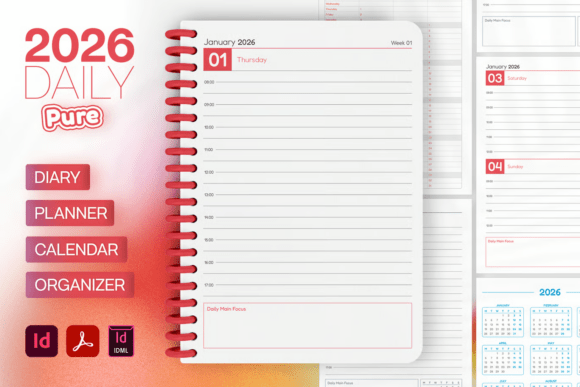
Planning the year ahead feels both exciting and overwhelming—especially when you’re juggling multiple projects, creative work, or a growing business. The right system can turn that chaos into clarity. The Daily Planner, Diary, Calendar 2026 and Pure Daily Organizer 2026 – Complete Planning System offer a professional-grade solution that blends structure with flexibility. Whether you’re a designer, marketer, entrepreneur, or educator, this 348-page A4 planner (210×297 mm) gives you room to think, draw, and schedule without compromise. Let’s explore what makes this system stand out and how different users can adapt it for their unique goals.
What Makes This Planning System Unique?
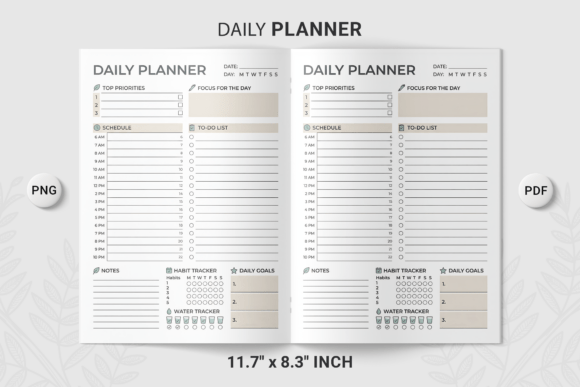
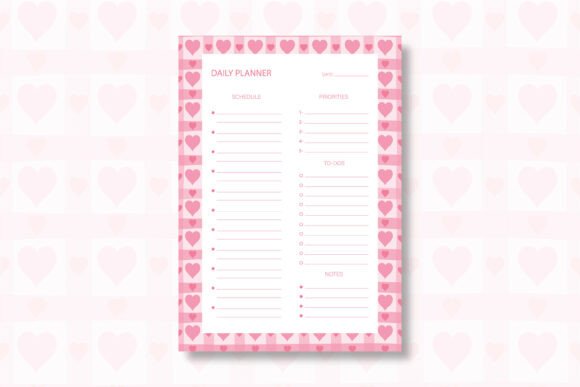
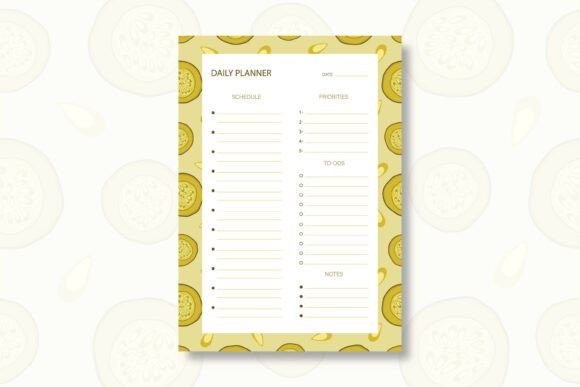
At first glance, the page count might seem like overkill—until you realise every spread is intentionally crafted. The planner includes two grid styles (line and square), one date style, one bullet style, and fully editable CMYK colour layers. You also get extra pages for personal information, calendars for 2026 and 2027, and a year planner section. The file comes in .idml, .indd, and PDF preview formats, plus it uses the free Fredoka font. That means you can tweak everything from colours to layout before printing, making it ideal for both personal use and client projects.
What makes this interesting isn’t just the feature list—it’s how the system encourages a systematic yet creative approach to daily life. The 5 mm bleeds and print-ready setup mean you can produce a physical planner that looks polished. But the editable nature also allows you to repurpose the design for digital planning, team workflows, or even branded merchandise.
Creative Possibilities and Real-World Applications
Instead of treating this purely as a personal diary, think of it as a modular framework. Here are several ways different professionals can adapt the Daily Planner, Diary, Calendar 2026 to their specific needs.
For Designers and Creatives
If you’re a graphic designer or illustrator, the line and square grid pages become your playground. Use the daily spreads to sketch UI wireframes, map out colour palettes, or plan editorial layouts. The bullet style helps you maintain a consistent visual language across your notes. You can duplicate the InDesign files for each month and adjust the colour layers to match seasonal themes or client branding. For example, a freelance illustrator might use pastel tones in spring and earthy hues in autumn, keeping the planner both functional and aesthetically inspiring.
Practical idea: Create a “design diary” within the planner—dedicate the extra pages to weekly mood boards, font pairings, and project briefs. Because the colours are fully editable, you can assign a specific Pantone-like tint to each ongoing project, so you instantly see where your time goes.
For Marketers and Content Creators
Marketers and bloggers often need an editorial calendar that bridges strategy with daily execution. The year planner section at the front gives you a broad overview: map out campaign launches, product drops, or content pillars. Then use the daily pages to break down tasks—writing, design reviews, social posting, and analytics checks.
One effective approach is to treat each month as a mini sprint. Use the square grid for a Kanban-style board: draw columns for “To Do,” “In Progress,” and “Done.” The bullet style lets you mark priority levels with simple symbols. Because the planner is print-ready, you can keep a physical copy on your desk while sharing a digital PDF version with your team (after removing personal sections). This hybrid workflow keeps everyone aligned without sacrificing your own planning rhythm.
For Entrepreneurs and Small Business Owners
Running a small business means wearing many hats. The Pure Daily Organizer 2026 structure helps you separate revenue-generating tasks from administrative chores. Use the daily diary section for client meetings, calls, and deadlines. The bullet style is perfect for habit tracking—mark daily actions like “invoicing,” “prospecting,” or “learning time.”
An entrepreneur freelancing in consulting, for instance, could dedicate the extra personal information page to key contacts and recurring subscription details. The 2026 and 2027 calendars at the back let you glance at upcoming quarters without flipping endlessly. If you sell physical products, you can even use the square grid to sketch pack shots or plan inventory layouts.
For Educators and Hobbyists
Teachers and lifelong learners can use this planner to structure lessons, reading schedules, or skill-building goals. The line grid offers neat lines for lecture notes, while the square grid works for mind maps or science diagrams. Because the planner is 348 pages, there’s enough room for an entire academic year plus reflection notes.
Example: An educator planning a curriculum might use the year planner to block out terms and holidays. Then each weekly spread (using the daily diary format) lists lesson objectives, resources, and student progress. The editable special colours allow you to colour-code subjects—blue for maths, green for literature, yellow for art—so you can see your week’s focus at a glance.
How to Keep Your Planning Clear, Effective, and Consistent
A powerful tool only helps if you use it intentionally. Here are practical guidelines to maintain clarity and organisation, no matter your role.
- Establish a colour code early. With fully editable CMYK layers, you can define a palette for categories (work, personal, health, finance) and stick to it throughout the year. Consistency reduces decision fatigue and makes reviewing past months easier.
- Use the two grid styles deliberately. Reserve line grids for time-blocked schedules or lists, and use square grids for brainstorming, project mapping, or habit tracking. Mixing them keeps each page purposeful rather than generic.
- Set up your year planner first. Before you dive into daily entries, fill in key dates, holidays, and major deadlines on the 2026 year planner spread. This becomes your anchor—every daily task should ultimately support those big-picture events.
- Treat the bullet style as a visual shorthand. Create a simple key (circle for task, square for completed, triangle for event) and use it consistently. This works especially well if you plan to scan or photograph pages later for digital archiving.
- Print or export in stages. Because the file is fully editable, you can adjust layouts for each quarter. Maybe Q1 needs more project planning space, while Q4 focuses on reflection and goal-setting. Don’t be afraid to customise the paragraph styles and grid weights as the year unfolds.
Adapting the System for Different Formats and Audiences
The flexibility of the Daily Planner, Diary, Calendar 2026 extends beyond personal use. If you’re creating a planner for a client or a team, consider these variations.
- Digital planners: Convert the layout to a fillable PDF using the editable layers. Hyperlink the calendar sections for easy navigation. This works well for remote teams who need a shared planning tool.
- Branded merchandise: Replace the Fredoka font with a custom typeface (if licensing allows) and add company logos to the extra pages. Use the 5 mm bleeds for professional printing of limited-run notebooks.
- Collaborative workshops: Print the year planner on large format paper and use it as a team whiteboard. Then give each participant a customised daily diary PDF with their individual tasks.
Practical Inspiration: Building a Year of Creative Discipline
Imagine starting 2026 with a planner that isn’t just a schedule but a creative companion. A freelance writer could combine the weekly bullet points with a colour-coded “word count” tracker on the square grid. A small business owner might use the extra pages for a SWOT analysis each quarter, directly linked to daily action steps. The system’s 348-page structure isn’t intimidating when you realise it accommodates both the big picture and the smallest detail.
What truly makes the Pure Daily Organizer 2026 – Complete Planning System valuable is its adaptability. You aren’t locked into someone else’s idea of productivity. Because every element—colours, grids, dates, even the typeface—can be edited, the planner becomes a mirror of your workflow. You can iterate, experiment, and refine your approach as the months pass.
Whether you print a fresh copy each month or bind the whole year at once, the goal remains the same: to give your daily decisions a clear, organised container. Start by exploring the file formats (InDesign .idml and .indd are especially forgiving for edits) and play with the special colours. Then build a system that feels as natural as your creative instincts. The year ahead is waiting—make every page count.