The Art of Structured Days: Exploring the Daily Planner Template with Ogee Pattern
A daily planner is more than a schedule — it's a canvas for intention. When combined with the elegance of an ogee pattern, it transforms into a tool that inspires both productivity and creativity. Here's everything you need to know about this unique planner design, why it matters, and how to make the most of it.
What Is a Daily Planner Template with Ogee Pattern?
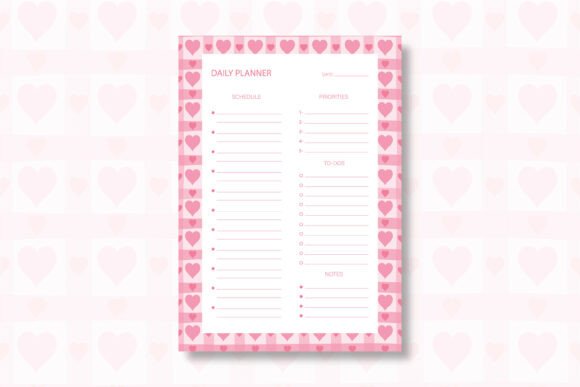
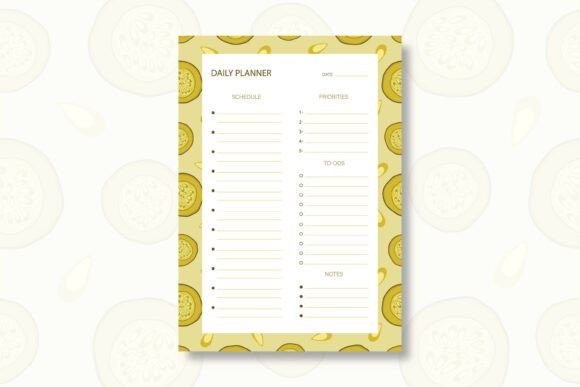
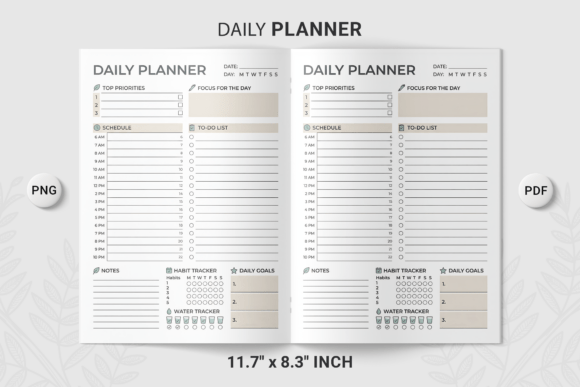
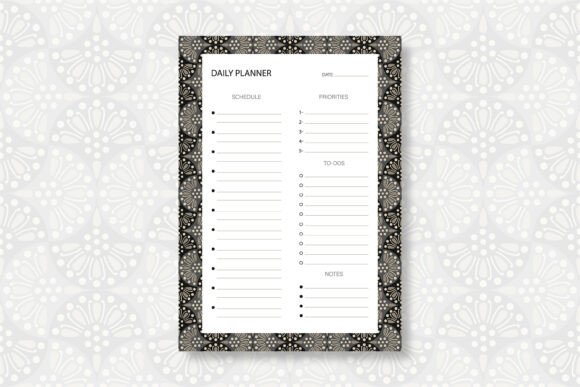
At its simplest, a daily planner template is a pre-designed layout that helps you organize your day — time slots, tasks, notes, and priorities. The ogee pattern is an ornamental curve that forms an S-shape, often used in textiles, architecture, and decorative arts. When applied to a planner, the ogee pattern adds a refined, artistic backdrop that makes the page feel both luxurious and calming.
This particular template includes everything you need to get started right away. It comes as an editable EPS file, a PDF file, and a JPG file, all in A4 size with high resolution (300 DPI). It is a print-ready design, meaning you can use it digitally or print it at home or at a professional shop.
Why the Ogee Pattern? The Intersection of Beauty and Function
The ogee pattern is not arbitrarily chosen. Its flowing, symmetrical curves have been used for centuries in Persian rugs, Gothic windows, and Renaissance textiles because they evoke a sense of balance and flow. When you bring that same pattern into a daily planner, you invite a visual rhythm that mirrors the natural ebb and flow of a well-organized day.
For many people, a bland planner page feels uninspiring. But a page graced with an elegant ogee motif can make the act of planning feel more intentional — almost meditative. It elevates the ordinary task of writing down appointments into a small moment of beauty. That emotional connection can make you more likely to actually use the planner consistently.
Inside the File Package: What You Get and How to Use It
Let's take a closer look at the three file formats included and what each one offers.
1. Editable EPS File
The EPS (Encapsulated PostScript) file is a vector format that you can open and edit in professional design software such as Adobe Illustrator. This is ideal if you want to customize the planner — change colors, adjust the layout, add your own branding, or modify the ogee pattern itself. Since it's a vector file, you can scale it to any size without losing quality. This makes it perfect for graphic designers, small business owners, or anyone who wants a tailored planner.
2. PDF File
The PDF (Portable Document Format) file is ready to print as is. It preserves all the design elements, fonts, and layout exactly as intended. You can open it on any device, send it to a print shop, or print it at home. This is the most straightforward option if you simply want to start using the planner without any editing.
3. JPG File
The JPG (Joint Photographic Experts Group) file is a high-resolution raster image (300 DPI) that you can use for quick digital reference, upload to note-taking apps, or import into other software. It's also useful for previewing the design or using it as a background image for digital planning.
All files are A4 size (210 x 297 mm), which is the standard international paper size. The 300 DPI resolution ensures crisp, sharp prints without pixelation. And because the design is print-ready, you can expect professional results every time.
Hand-Drawn with Care: The Human Touch Behind the Design
One detail worth emphasizing: this design is hand drawn in Adobe Illustrator. It was not generated with the help of AI. Every curve of the ogee pattern was carefully crafted by a human hand using a digital stylus and vector tools. This means the pattern has a natural, organic feel — subtle imperfections that make it warm and authentic. In a world of mass-produced templates, a hand-drawn design stands out. It carries the intention and artistry of its creator, which can subtly influence how you feel when you use it.
For artists, designers, and creative professionals, knowing that a template is hand-drawn adds a layer of appreciation. It also means the pattern is unique — you won't find the exact same design in a generic planner at a big-box store.
Why a Daily Planner? The Science of Structured Time
Planning your day is one of the most effective ways to reduce anxiety and increase productivity. Research in cognitive psychology shows that writing down tasks offloads them from your working memory, freeing up mental resources for problem-solving and creativity. A daily planner gives you a dedicated space to capture priorities, deadlines, and ideas. When that space is visually pleasing, you're more likely to engage with it regularly.
This is where the ogee pattern daily planner template shines. It combines the structural benefits of a planner with the emotional benefits of beautiful design. You're not just checking boxes — you're doing it in a setting that feels elegant and personal.
Practical Uses: Who Can Benefit from This Template?
This template is versatile enough for a wide range of users. Here are just a few examples:
- Professionals who want a stylish way to manage meetings, deadlines, and daily goals.
- Students who need to track assignments, study sessions, and extracurricular activities.
- Freelancers and entrepreneurs who juggle multiple projects and appreciate a customizable tool.
- Artists and creatives who want a planner that reflects their aesthetic sensibilities.
- Bullet journal enthusiasts who enjoy adding a touch of elegance to their analog systems.
- Anyone looking to reduce screen time by returning to paper planning with a high-quality template.
Because the template is editable, you can adapt it to any language, any date format, or any personal workflow. The ogee pattern acts as a unifying visual theme that makes every page feel cohesive.
How to Use the Files: A Quick Start Guide
Getting started is simple. Here's a step-by-step walkthrough:
- Download the ZIP file after purchase. All files are conveniently packaged in one compressed folder.
- Extract the ZIP file. Double-click the archive on most systems, or use compression software like 7-Zip, WinRAR, or WinZip if needed.
- Once extracted, you'll see the three files: YourFile.eps, YourFile.pdf, and YourFile.jpg.
- Open the PDF for direct printing. Open the EPS in Adobe Illustrator for editing. Use the JPG for digital previews or uploads.
- Print as many copies as you need (for personal use). The high-resolution files ensure clean, sharp prints.
Pro tip: If you print the template on high-quality paper — such as 120 gsm matte or linen-textured stock — the ogee pattern will have a subtle tactile quality that enhances the overall experience.
Clarifying Common Misunderstandings
Some people wonder whether an ogee pattern makes a planner look too ornate or distracting. In reality, the pattern used in this template is designed to be elegant yet subtle. It serves as a gentle backdrop that doesn't compete with your writing. Think of it as a fine wallpaper in a study — it sets the mood without overwhelming the space.
Another common assumption is that an editable EPS file requires advanced technical skills. While some familiarity with Adobe Illustrator helps, even beginners can make simple changes like adjusting colors or adding text. There are plenty of online tutorials to get you started. And if you don't want to edit, the PDF and JPG files are ready to go.
The Bigger Picture: How This Fits into Modern Life
We live in a time when digital tools dominate, but many people are rediscovering the power of analog planning. Writing by hand improves memory retention and fosters deeper thinking. A beautifully designed planner makes that practice more enjoyable and sustainable. The ogee pattern, with its historical roots and timeless appeal, connects us to a tradition of craftsmanship that dates back centuries. Using it today is a small but meaningful way to bring beauty, order, and intention into the daily routine.
Whether you're a busy parent, a creative professional, a student, or someone simply trying to bring more structure to your days, the daily planner template with ogee pattern offers a balanced blend of form and function. It's a tool that respects your time and your taste.
Final Thoughts: An Invitation to Plan with Purpose
Choosing a planner is a personal decision. You'll use it every day, so it should feel right. This template gives you the flexibility to edit, print, and reuse as many times as you want. The hand-drawn ogee pattern ensures that each page carries a touch of artistry. And the three file formats — EPS, PDF, and JPG — make it easy to fit into any workflow.
If you're ready to elevate your daily planning experience, this template is a wonderful place to start. Download it, extract the files, and let the ogee pattern guide your days with elegance and purpose.
NOTE: This design is not generated with the help of AI. It is hand-drawn in Adobe Illustrator software. All of the files are included in a ZIP file. You need to extract the ZIP to access the files perfectly. Just double-click to extract or use any compression software such as 7-Zip, WinRAR, or WinZip.
Thank you for choosing our product. 🙂 Don’t forget to follow us for more creative designs.